

This is the final post in a four-part series exploring how people actually use AI today. In Part 1, we examined who is using these tools. In Part 2, we covered the most popular use cases at home. In Part 3, we explored emerging applications that raise uncomfortable questions about creativity and connection. In this post, we examine how AI is being used at work—and why the reality differs dramatically from the predictions.
Tech CEOs spent 2024 promising that AI would revolutionize the workplace. Microsoft integrated AI into every Office app. Salesforce launched an “AI employee.” Google told businesses that AI assistants would transform productivity.
Then OpenAI analyzed how people actually used ChatGPT at work.
The result? Work-related usage collapsed from 47% in June 2024 to just 27% by June 2025. It wasn’t that fewer people were using AI for work—work messages actually grew to about 5 billion per week. It’s that personal usage exploded so dramatically that workplace applications seemed almost like an afterthought.
The technology that was supposed to transform how we work is being used far more to figure out what to make for dinner (See part 2 - How we use AI at home)
So what are people actually doing with AI at work—and why does the reality look so different from the predictions?
The Work Usage Pattern
Consider what a typical knowledge worker’s ChatGPT usage looks like on a Tuesday afternoon:
“Summarize these meeting notes and pull out the action items.”
“Find the policy document about remote work expenses—I think it was updated last quarter.”
“This email sounds too aggressive, can you soften the tone?”
“Create a pivot table formula to analyze monthly cash flows.”
These aren’t revolutionary applications. They’re the mundane frictions that have always made office work tedious—the tiny inefficiencies that collectively eat hours every day. And AI is quietly eliminating them.
When researchers categorized work-related messages, three uses dominated:
Writing: 40% of all work-related messages
Practical Guidance: 24%
Seeking Information: 13.5%
For anyone who’s spent time in an office, this hierarchy makes immediate sense.
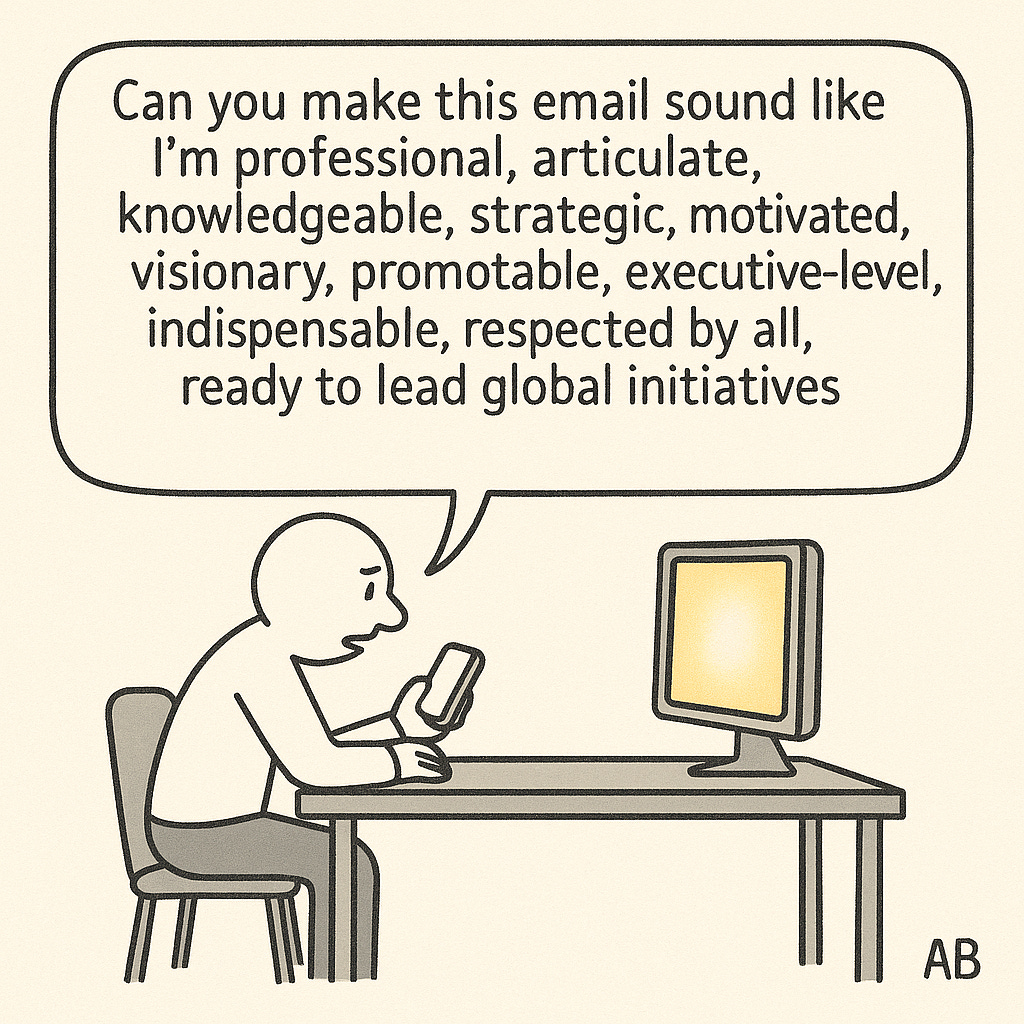
Writing at Work: The Professional Polish (40% of work use)
Writing jumps to the top of the pack for work-related AI use, comprising 40% of all work-related messages. For anyone involved in information work, this makes intuitive sense.
Whether it’s emails you need help drafting, documents you need written based on a set of guidelines, or simply quick corrections on your grammar before sending out a note to coworkers, writing is probably one of the most popular reasons to use an AI tool for employees. The majority of all communications at work are written—documents, emails, chat threads—and there’s a high incentive to present the clearest, most concise version of your communication as possible.
As we saw in personal use, about two-thirds of writing requests involve editing and polishing existing text rather than creating content from scratch. At work, this pattern holds: people want AI to make their writing more professional, clearer, and more concise—but they’re keeping control over the ideas and substance.
Practical Guidance: The “How Do I...” Questions (24% of work use)
Practical guidance at work includes tutoring and “how to” questions—employees asking for training and detailed steps on certain tasks that might be routine or detail-oriented.
“How do I create a pivot table in Excel to analyze my monthly cash flows?”
“What’s the proper format for a quarterly business review?”
“Walk me through the steps to reconcile these budget discrepancies.”
These are the questions that used to require either hunting through documentation or asking a more experienced colleague. They’re routine but necessary, and having instant access to step-by-step guidance removes a source of friction that previously slowed work down.
Seeking Information: The Organizational Search Problem (13.5% of work use)
Research and search within organizations has always been a pain point for employees, so seeking information—both within organizational data repositories and from the web—being a common use case makes sense.
For years, companies have poured money into knowledge management systems, internal wikis, and sophisticated search tools. For years, employees have mostly ignored them, falling back on the same inefficient methods: emailing coworkers (”Does anyone remember where we saved the Q3 analysis?”), clicking through folder after folder, or simply recreating work that someone has already done somewhere else in the organization.
AI doesn’t solve this problem by building better filing systems. It solves it by understanding what people are actually asking for, even when they phrase it vaguely or can’t remember the exact document name.
The Security Problem AI Unintentionally Created
But this has created a new problem that most companies haven’t anticipated.
Corporate data has always operated under a principle called “security through obscurity.” Sensitive documents might be technically accessible to many employees, but they’re buried five folders deep with names like “FY24_MISC_FINAL_v3_INTERNAL” that make them effectively invisible. If you don’t know exactly what you’re looking for and where it lives, you’ll never find it. This isn’t great security policy, but it’s worked well enough that most companies never bothered implementing proper data classification systems.
AI has destroyed that protection overnight. When an AI can read and understand every document in a repository, nothing stays hidden by obscurity. An employee who vaguely remembers “some analysis about the Chicago office” can now surface a confidential memo about potential layoffs, even if they’ve never been authorized to see it.
Companies that deploy internal AI tools suddenly face an uncomfortable choice: either implement the rigorous data classification and access controls they’ve always claimed to have but never actually built, or accept that anything stored anywhere is now effectively available to anyone with the right question.
What Tasks Are People Actually Doing?
When OpenAI’s researchers dug deeper into what people were actually doing with these work messages, they wanted to get more precise. The broad categories—Writing, Practical Guidance, Seeking Information—described how people were using AI, but not what they were actually trying to accomplish. A message categorized as “Writing” could mean drafting a performance review, composing a sales pitch, or editing a technical specification. These are fundamentally different work tasks that happen to use the same AI capability.
OpenAI’s researchers mapped each of the ~360,000 work messages to specific task categories from O*NET, a comprehensive database of occupational skills maintained by the U.S. Department of Labor. Instead of asking “Is this person writing or seeking information?” they asked “What job task is this person actually trying to complete?”
The most common tasks that emerged were:
Documenting and recording information
Making decisions and solving problems
Thinking creatively
Working with computers
Interpreting the meaning of information for others
Getting information
This granular view reveals something the broader categories had obscured.
The Mundane Tasks We Hope AI Will Automate
The first category—documenting and recording information—is exactly the kind of work everyone hopes AI will automate. Meeting notes. Action items. Summaries of discussions. These tasks are necessary, time-consuming, and mind-numbing. A consultant might spend half of every client meeting just capturing what was said instead of thinking about what it means.
AI can transcribe, summarize, and extract key points automatically, freeing humans to focus on the actual substance of their work. A lot of new tools have emerged which help meeting participants with meeting facilitation, note-taking, and extracting insights and takeaways from meetings at the click of a button automatically every time the meeting ends.
This is the best-case scenario for AI at work: automating the clerical, the routine, the tasks that have clear inputs and outputs and require little judgment or creativity.
The Tasks That Raise Questions
But the middle categories—making decisions, solving problems, thinking creatively—are different. These are supposed to be the distinctly human contributions, the parts of knowledge work that require judgment, context, and the kind of intuitive reasoning machines can’t replicate. Yet here they are, showing up prominently in how people actually use AI at work.
There are two ways to interpret this.
The optimistic reading: People are using AI as a thinking partner, a tool to help them analyze problems more thoroughly by exploring different angles and stress-testing their assumptions. “Here’s a decision I’m facing. What are the pros and cons I might not have considered?” This is AI as cognitive augmentation—making humans better at the inherently human parts of their jobs.
The pessimistic reading: People are starting to outsource the thinking itself. When facing a difficult decision, instead of wrestling with the trade-offs and building their own judgment, they’re asking AI for the answer and trusting whatever it says. This is AI as cognitive replacement—and it raises uncomfortable questions about what happens when knowledge workers stop exercising the muscles of critical thinking because an algorithm does it for them.
Recent research suggests we should be more worried about the pessimistic interpretation. In June 2025, MIT’s Media Lab published a study that tracked 54 participants over several months as they wrote essays using ChatGPT, Google search, or no tools at all. Using EEG brain scans, researchers found that ChatGPT users showed the lowest neural activation and “consistently underperformed at neural, linguistic, and behavioral levels.” Even more concerning: 83% of ChatGPT users couldn’t recall key points from their own essays, and cognitive function in key brain areas decreased over time.
The study’s lead researcher, Nataliya Kosmyna, described it as an “accumulation of cognitive debt”—the more people relied on AI to think for them, the weaker their own cognitive engagement became. By the end of the four-month study, ChatGPT users had largely resorted to copy-and-paste, barely engaging with the content they were ostensibly creating.
Other studies point to the same pattern. Research from Carnegie Mellon and Microsoft found that knowledge workers who trusted AI-generated outputs applied less cognitive effort—what researchers call the “automation paradox.” A Swiss study showed that more frequent AI use led to cognitive decline as users offloaded critical thinking to machines, with younger participants (17-25) particularly affected.
No one knows yet which pattern will dominate. The data shows usage but can’t reveal whether people are better decision-makers because of AI or are becoming dependent on it for choices they should be making themselves.
What is clear is that AI at work has moved far beyond spell-checking emails and formatting documents. It has become involved in the core intellectual work that, until very recently, was considered irreducibly human.
Whether that represents progress or a subtle erosion of human agency will depend entirely on how people choose to use the tools they’ve been given. The technology itself is neutral. The question is whether humans will remain in charge of their own thinking—or gradually, imperceptibly, hand that responsibility over to systems optimized for helpfulness rather than wisdom.
The Programming Paradox: Where Are All the Coders?
Here’s what isn’t showing up in the data: programming. Technical help—which includes mathematical calculations, analysis, and coding—accounts for just over 10% of work-related queries in July 2025. Not even in the top three categories.
This seems impossible. Tech industry leaders have spent the past year declaring that AI is revolutionizing software development. Microsoft’s CEO claims that 30% of code in the company’s repositories is now AI-generated. GitHub reports that its AI coding assistant, Copilot, has grown from 15 million to 20 million users in just three months. Some companies claim that half their code is now being written by AI.
So where are all the programmers in ChatGPT’s data?
The Answer: Specialized Tools Won
The answer reveals something important about how AI adoption actually works. Programmers aren’t avoiding AI—they’ve just moved to specialized tools built specifically for coding.
GitHub Copilot lives inside their code editors and automatically saves to their repositories. New startups like Cursor and Bolt let developers generate code, run it, and see the results in real-time within a single window. ChatGPT, for all its capabilities, requires copying code back and forth between windows—a workflow no programmer would tolerate when better options exist.
Programmers haven’t rejected AI. They’ve just skipped straight past the general-purpose chatbot to tools designed for their specific needs. The low programming numbers in ChatGPT’s data don’t mean AI isn’t transforming software development. They mean the transformation is happening in places OpenAI’s researchers can’t easily measure.
This pattern—early adopters quickly moving beyond general-purpose tools to specialized ones—is playing out across the entire AI landscape. And it means that looking at ChatGPT’s data alone misses much of the story about how AI is actually being used at work.
What This Means for the Future of Work
The work usage data reveals three important realities about AI’s impact on the workplace:
1. Work is moving to specialized tools. Only 27% of ChatGPT usage is work-related, but this underestimates AI’s workplace impact. As programmers moved to GitHub Copilot and enterprise workers adopted Microsoft Copilot, the pattern is clear: serious work happens through purpose-built tools that integrate with corporate systems. ChatGPT captures consumer behavior, not enterprise transformation.
2. AI excels at removing friction, not replacing workers. Where we can see usage—polishing writing, answering “how to” questions, finding documents—AI is eliminating mundane tasks that eat time. It’s functioning like spell-check or Google, not like automation that replaces entire roles.
3. But AI’s role in creative and decision-making tasks should concern us. The data shows people using AI for “making decisions,” “solving problems,” and “thinking creatively”—supposedly human tasks. Recent MIT research reveals why this matters: participants who relied on ChatGPT for writing showed decreased brain activity over time, with 83% unable to recall key points from their own work. Other studies confirm the pattern—frequent AI use correlates with cognitive decline as users offload critical thinking to machines. Whether AI augments our judgment or replaces it depends on how we use it. Right now, we lack guardrails to ensure we’re building cognitive skills rather than atrophying them.
The workplace transformation may be happening more gradually than predicted, through specialized tools we can’t fully measure. But the more troubling question isn’t whether AI will change work—it’s whether it will change us, making us intellectually dependent on systems designed for convenience rather than wisdom.
Series conclusion:
Across these four posts, a clear pattern emerges: AI adoption is not following the script tech leaders wrote.
Who uses it: A surprisingly diverse, global demographic—achieving gender parity in under two years, spreading faster in developing nations than wealthy ones, and providing similar value regardless of education level.
What they use it for at home: Mostly ordinary, everyday tasks—practical guidance, information seeking, and writing assistance. The revolution is happening at the kitchen table, not the workplace.
The emerging applications: Image generation, video creation, and AI companions raise uncomfortable questions about creativity, professional livelihoods, and human connection that we’re not ready to answer.
How it’s used at work: More incrementally than predicted, with serious users migrating to specialized tools we can’t easily measure. But the concerning trend isn’t just slower adoption—it’s the evidence that relying on AI for creative and decision-making tasks may be eroding our cognitive abilities.
The consistent theme: AI is spreading faster and more democratically than expected, but being used for more mundane purposes than predicted. The workplace revolution may be happening through specialized tools operating below the surface. But the real transformation—for better or worse—might be what AI is doing to how we think, not just what we do.
Read the full series:
Part 4: How AI Is Actually Being Used at Work (you are here)
This analysis is based on OpenAI’s National Bureau of Economic Research (NBER) working paper “How People Use ChatGPT” released in September 2025, analyzing usage patterns from 1.5 million conversations.